
Thermal Master X3



 Reviewed by
Vladimir Gorbunov
TOP 10 REVIEWER
+3,273
April 4, 2026
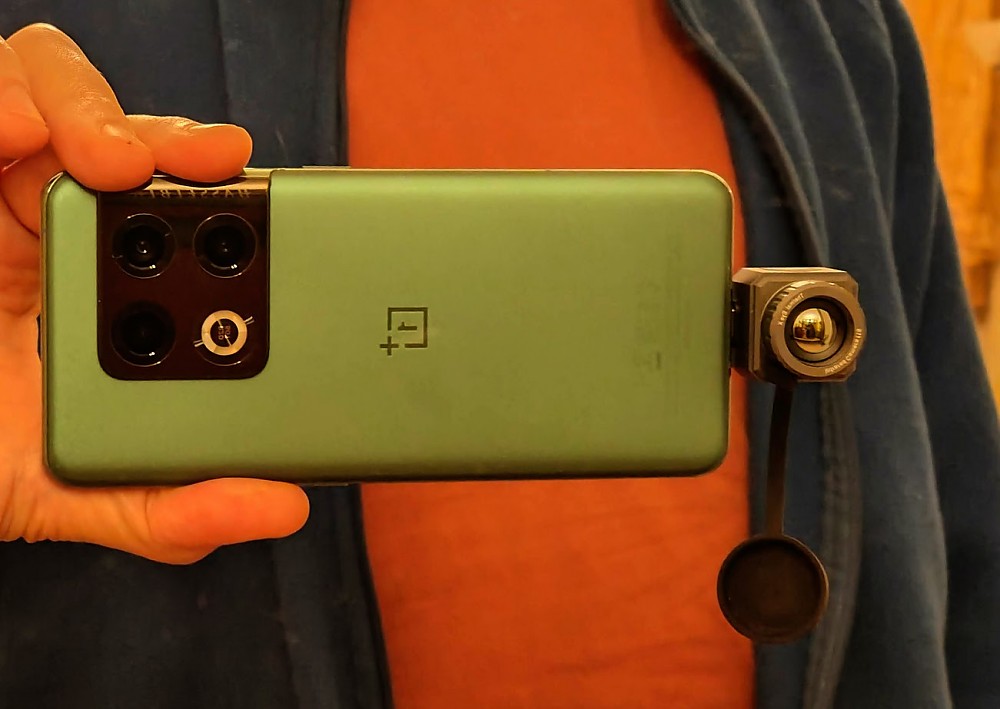
Advanced thermal camera which transforms your Android phone into a high-performance thermal observation instrument. It delivers detailed, photographic-quality infrared images, rivaling dedicated thermal scopes. While its powerful hardware is let down by clunky phone app, the leap in image quality over previous generations cannot be overestimated.
Pros
- Great instrument for long-range observation
- Astonishing photo and video quality for amateur thermal imager, very long reach
- Super compact and low profile, easy to carry everywhere
- Various image display options (color palettes, PiP, pointers etc.)
- Very reach delivery set
- Included handle makes a reasonably rugged long-range observation instrument, especially with optional screen module and laser rangefinder
- Great value for money
Cons
- App ergonomics leave too much to be desired for thermal imaging and measurement tasks
- Not compatible to iPhone
- Don't expect much support from the manufacturer in case of incompatibilities with your phone
- The camera mounted on the phone is rather fragile
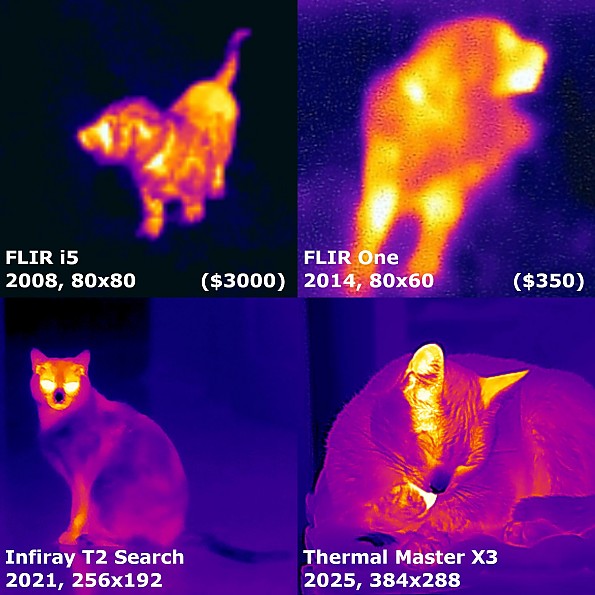
After a couple of months of using the Infiray T2 Search thermal camera (see my detailed review), I purchased the much more advanced Thermal Master X3 camera (base set only — without a screen or rangefinder) on sale at a price that was simply impossible to resist.
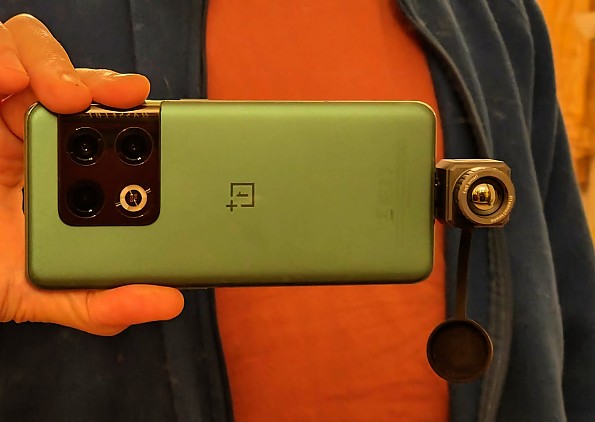
The main feature of this device is a large 384×288 sensor with 25 mK (millikelvin) sensitivity and a 60 Hz frame rate. For comparison, the T2 Search has a 256×192 sensor, 50 mK sensitivity, and 25 Hz. So the number of pixels has doubled from 49K to 110K, and thermal sensitivity and frame rate have doubled as well. This puts the new device in a different league in terms of image quality.
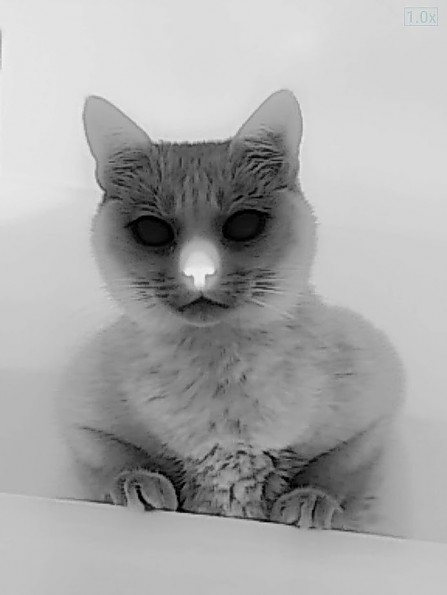
Not only has the total pixel count vastly increased, but the camera can now detect (and display) much smaller temperature gradients and surface textures. For example, on a cat, the fur coat isn't just filled with uniform color, but individual hairs become distinguishable.
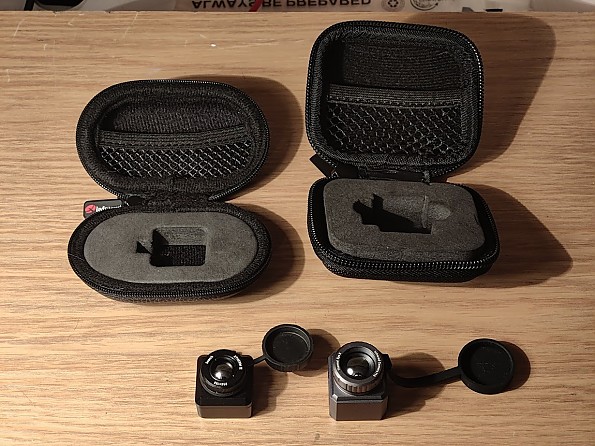
Importantly, the device's weight and dimensions, as well as the lens' field of view, have remained mostly unchanged compared to the T2 Search. The thermal imager itself and its protective case have become slightly larger. The T2 Search in its case weighed 60 g (2.1 oz), while the new one weighs 80 g (2.8 oz).
Minimum focus distance is 30 cm (12 in). Minimum object size in frame is 6×8 cm (2.4×3.1 in).
New package and improved delivery set
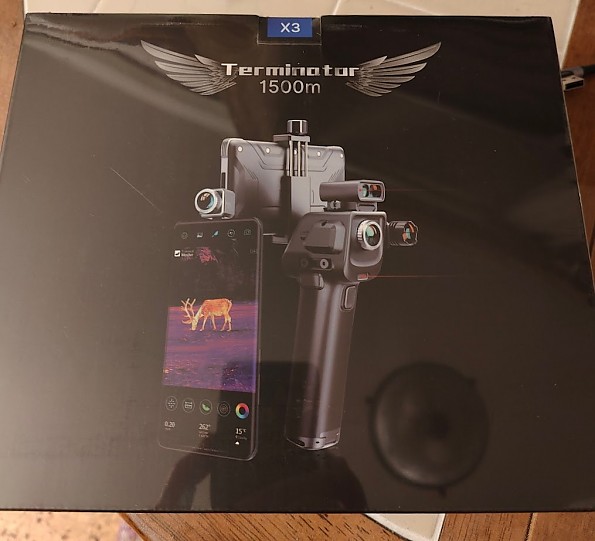
The package is a radically new. Everything is packed in a large EVA carrying case with gift wrapping. Conversely, the T2 Search's pistol grip and laser pointer came in separate unmarked boxes, looking like they were just thrown into the shipment as an afterthought.
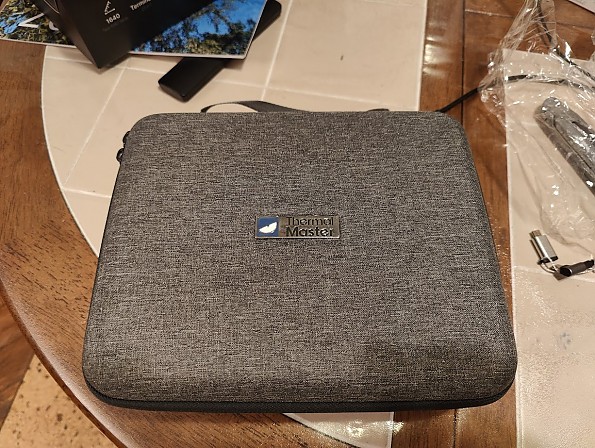
For observation purposes, it’s advised to choose a complete set with a laser rangefinder and a ruggedized 5" screen (especially relevant for iPhone owners, as the X3 only supports Android devices).
The pistol grip
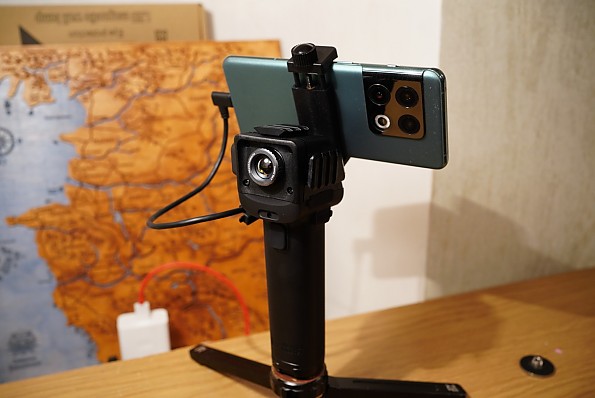
The pistol grip has been redesigned from scratch—now it features an integrated laser pointer and phone holder, is powered by a 21700 lithium-ion battery, and can charge the phone (depending on the latter’s model). Compared to the old grip, it's night and day—the developers took this aspect very seriously.
Funny detail: the thumb-screw on the battery compartment in the grip prevents mounting the grip on a tripod (there is a 1/4" hole). For that, this screw should be replaced with a regular M3 screw with a round head. Most importantly, don't lose the rubber gaskets, which are placed everywhere and not secured in any way! There are some spares in the package though.
The thermal imager is reasonably well protected from water within the grip (its compartment is surrounded by rubber gaskets). It can be used in the rain, unlike the T2 Search. The thermal module itself doesn't look waterproof; all protection is provided by the grip.
To extract the thermal module from the grip, you need to unscrew as many as 6 tiny screws. Don't even think about doing this in the field...
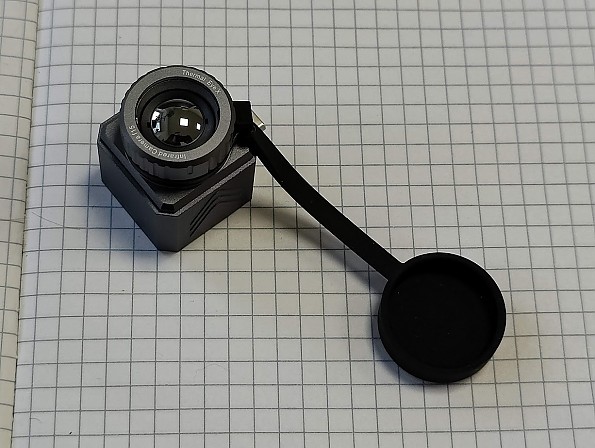
For some reason, the protective lens cap no longer attaches to the lens itself, but to the handle only. Store representatives told me that such a cap is no longer provided in the delivery set (although the second cap for mounting on the lens itself was there in earlier reviews). The problem was solved by me with a silicone ring from some flashlight.
New Android software
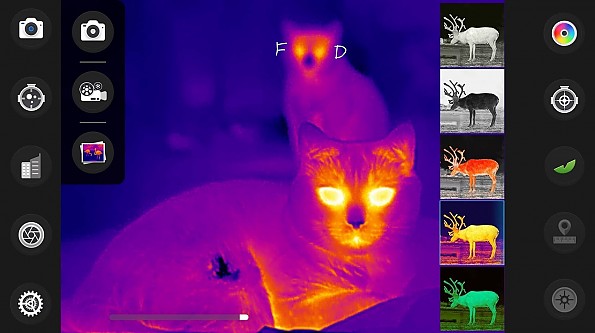
The new Thermal Master app is obviously focused on observation. To take photos, record videos, or display temperature markers, you now have to perform many extra steps. Specifically, in the old IR Explorer app taking a photo required just pressing a button on the screen. Now, you first need to open a menu and then press the desired function within it. At the same time, the interface is cluttered with non-removable buttons related to the rangefinder (which is not relevant for me).
The temperature markers on the screen, in photos, and in videos are configured in different, hard-to-find places in the menu, independently of each other. This is so illogical! And, traditionally, the temperature measurement function resets to zero every time the app is launched. BTW you can display the zoom value (again, configured separately for photos and videos) and a lot of other unnecessary info, even the weather forecast.
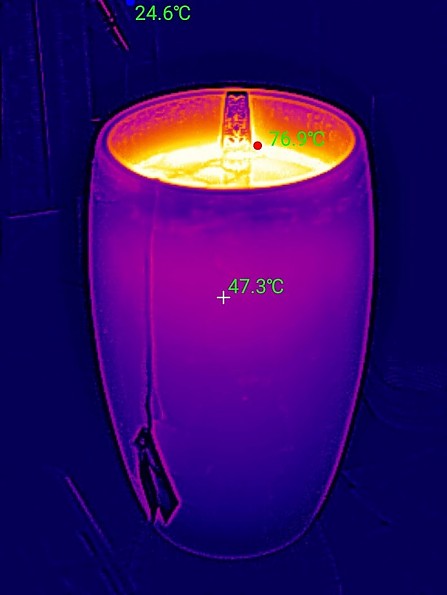
For more accurate temperature measurements, you can now adjust the emissivity and ambient temperature in the settings. If not for the aforementioned inconveniences with temperature measurements, one could say the device has gained quite decent temperature measurement capabilities.
Regarding the temperature measurement limits: at 105°C (221°F), the hot area indicator (barber pole) triggers; at 130°C (266°F), the shutter closes and a warning message appears. On cool objects, the thermal readings may show values down to about -10...-15°C (14...5°F), but usually no less.
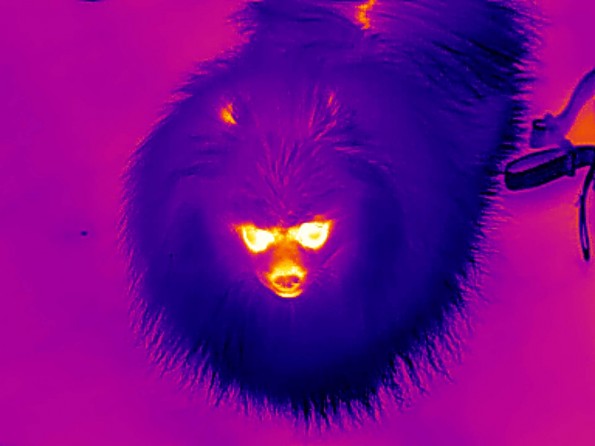
The app has 5 color palettes (B/W Black Hot, B/W White Hot, B/W with Red Hot highlight, classic Molten metal, Night Vision Green). The Red/Blue palette is gone. A new feature: You can now choose from 5 gamma/contrast options.
The app launch is now about 3 times slower than before—it takes quite a lot of time before you can see the actual picture. Honestly, if I had a choice, I'd keep using the old app. At least, there you don't need to open a menu to take a shot.

The app does not account for phone orientation when saving pictures. Horizontally shot photos and videos are saved rotated 90 degrees for some reason. For vertical ones to be "normal," you need to shoot with the module pointing down (with the T2 Search, it was pointing up, which was more convenient).
Thermal Master X3 in use
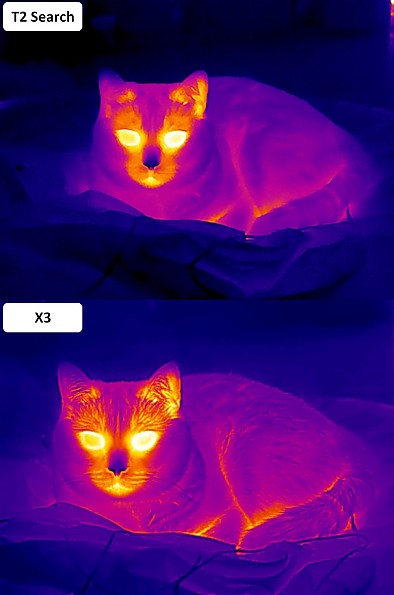
The image quality and smoothness—it's like switching from a point-and-shoot camera to a professional DSLR. In B/W mode, the quality can confidently be called "photographic"; most people wouldn't suspect it was shot in invisible light. People in an urban environment can be distinguished from 400 meters (roughly 440 yards) away.
Images are saved in JPEG format at 2.8 MP resolution. Unlike the unjustifiably heavy PNG files from the T2 Search, these take up almost no space.
Glitches in freezing weather have mostly disappeared, although in cold weather sometimes it’s still necessary to reboot the app from time to time for proper operation. I still don’t know whether it’s caused by my phone (e.g. insufficient power supply in the USB port), or by sensor hardware.
My opinion—for the price paid by me ($450), the leap in image quality is simply astonishing. However, both the app and the package are clearly geared towards observation, not photography or measurements, which leaves its mark. The app itself is complex to use and not convenient for any tasks other than observation.
There is good potential for UX improvement though—I was able to convey this to the manufacturer (neither e-mail support address worked for this purpose, but finally my message in the official Whatsapp group was acknowledged and probably forwarded to the developers). So there are chances that the app will be improved some day.
Is it worth paying twice as much for the X3?
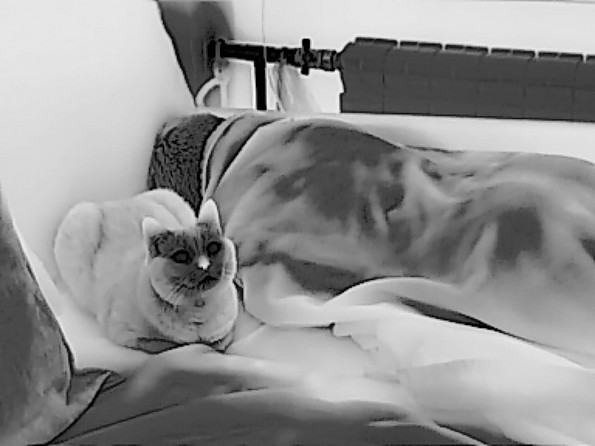
If you are into observation and plan to use the thermal imager with the grip—absolutely! It's advised to go all-in and get the complete set with the screen and rangefinder.
If you're planning to just take photos, the answer is not so clear (as for Thermal Master app version 2.3.2). On the one hand, the inconvenient app interface complicates photography. But in my subjective opinion, the doubling of both resolution and sensitivity provides such a leap in quality that it fully justifies the price difference and outweighs the software inconveniences.
P.S. Q&A
Q: What's the difference between a thermal imager and a night vision device?
A: A thermal imager registers thermal radiation, which depends on two factors: surface temperature and its emissivity (a physical property of the surface). Thus, a thermal imager builds a heat map of the surrounding world, independent of visible light. A night vision device works completely differently—it greatly amplifies the brightness of the image visible to the eye (extending into the near-infrared spectrum), so in complete darkness, it won't see anything without an IR illuminator. The same applies to surveillance cameras.
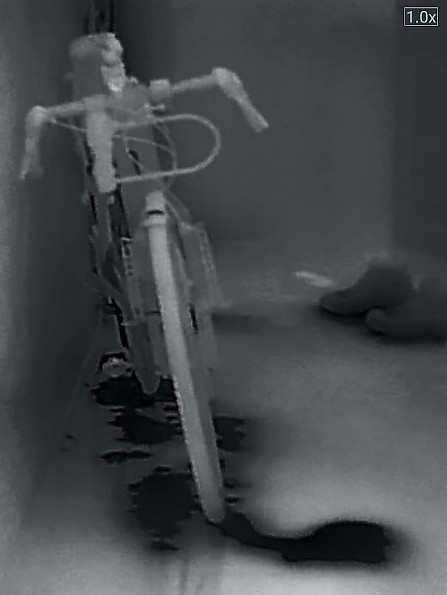
Q: Can a thermal imager "see" in absolute darkness (e.g., in a basement)?
A: Yes, it can, but only if the surrounding objects have differing temperatures and/or emissivity. An empty room will appear very blurred and low-contrast, various objects will faintly show through, but any hot-blooded creature or other sources of heat or cold (like water) will be perfectly visible.
Q: What does "thermal sensitivity" (NETD) mean, and what does it affect?
A: The smaller the NETD value (measured in fractions of a Kelvin, typically 25-80 mK for consumer devices), the higher the temperature measurement sensitivity. A thermal imager with a lower NETD (i.e., higher sensitivity) will be able to display even the subtlest thermal radiation gradients,—for example, various object textures. The resulting image will be more detailed even without increasing the sensor resolution.
Q: Why is it impossible to measure the temperature of some objects, even though they are perfectly visible in the thermal imager?
A: If an object (e.g., glass or smooth metal) reflects thermal radiation, i.e., has a very low emissivity, then you will observe not its own temperature, but the temperature of what is reflected in it. To measure the temperature in such a case, you may stick a piece of black tape on such an object.
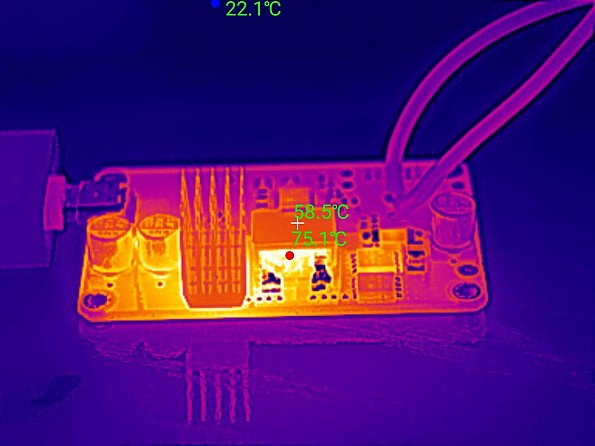
Q: What's the problem with a thermal imager with a fixed focus?
A: A fixed-focus lens in general purpose models is permanently focused at a distance where most objects (roughly from half a meter to infinity) will have acceptable sharpness. Close-up photography (e.g., of individual electronic components) is only possible using the snap-on lenses—those are expensive and not available for all models. In contrast, with a manually focused lens, you can achieve perfect sharpness at any desired distance—from macro to infinity.
Q: Do mobile thermal imagers have autofocus? Optical zoom? Image stabilization?
A: At the time of writing, all of the above belong to professional equipment costing many thousands (if not tens of thousands) of dollars. In our case, if focusing is available, it's just manual. Only digital zoom—stretching the center of the picture with a predictable impact on quality. (The 15x zoom often advertised in marketing results in an image consisting of 200-400 pixels.) There is no image stabilization, but if necessary, you can use a tripod or an external smartphone gimbal.
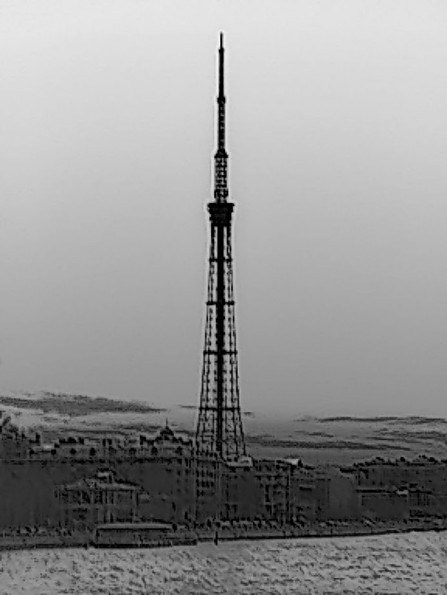
Q: Why do some models have a narrow measurement range (e.g., 0...+100°C or 32...+212°F), while others have a wide one (e.g. minus 40...+550°C or minus 40...+1022°F)?
A: It depends on the thermal imager's purpose—the software and hardware of observation/search models are optimized for temperatures up to 100°C (+212°F), therefore they provide a much more contrasty image. Also, all else being equal, the wider the field of view, the higher the temperature the thermal imager can withstand without harm. Analogy with visible light: if you look at the sun with the naked eye, nothing terrible happens, but if you look through binoculars, you're gonna lose your vision.
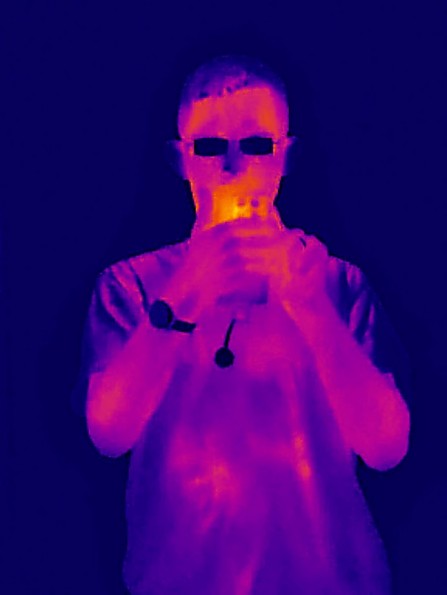
Q: Can a thermal imager see something through a wall, clothing, or glass?
A: No, it can’t, as all these materials do shield or reflect thermal radiation. You can see the outlines of a person only if they have heated an object (e.g., leaned against glass) or are wearing thin, tight-fitting clothing.
Q: Can you see the movement of hot air with a thermal imager?
A: Practically no, since air itself does not emit heat. You can see the smoke, or steam, or objects heated by hot air.
Interesting fact: Nitromethane burns with an almost invisible flame, making its use as fuel in drag racing particularly dangerous. However, such a flame will be perfectly visible in a thermal imager.
Q: At what maximum distance can a thermal imager detect a person or animal?
A: It depends on the size of the object and its thermal contrast relative to the surroundings, including its insulation and the presence of other hot objects in the frame. For observation/search thermal imagers, it's hundreds of meters for people, but a furry cat in the forest will be seen rather poorly, especially in summer. General purpose thermal imagers are not designed for such use, and their detection range is many times lower.
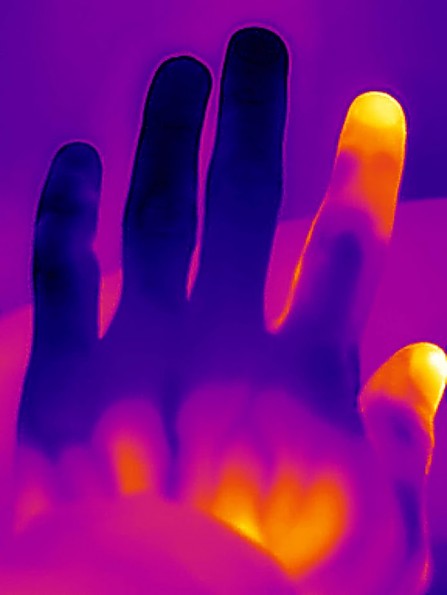
Q: Can a thermal imager see people and animals through a forest, bushes, or foliage?
A: Imagine the target is wearing a bright yellow raincoat. If it goes behind a tree trunk or hides in dense bushes, it will be impossible to see. However, if the target is visible between branches, it will be noticeable, especially when moving.
Q: What's clicking inside the thermal imager, and why does the picture jerk?
A: The thermal imager must periodically calibrate its sensor to account for its natural heating during operation; for this, there is a mechanical shutter inside. When it activates, a click is heard, and the image freezes for a moment. Also, if the image seems strange, you can initiate the calibration manually.
Background
I've been using it extensively for several months and I'm able to compare two models side-by-side.
Source: bought it new
Price Paid: 450 USD